Here are 4 reasons why almost 95% of Shopify websites fail. There are likely more than just 4 reasons I’m sure, but I think these are really the main ones that portray the determining factor of failure.
Do you know what almost 95% of Shopify websites and dropshipping stores fail?
Design is the first aspect everyone looks at when they visit a Shopify website. That is why it is compulsory to have a good design for a Shopify website with hot winning products and best SEO optimization.
Let’s dive into each one individually…
Poor Designed Website
Poor Designed Website
Having a website that looks nice is one thing but having one that works for the customers is something else.
Can they navigate the site easily?
When they search the site, do the search results bring up what they were looking for?
Another reason why web design features and content are important is that they play a big role in how search-engine algorithms view and index your website.
Although there are several people that can simply create a website, it takes a skilled person to design a website that looks polished and functional.
If that’s what you are looking for in your Shopify Store, then I recommend you check out Shopify Buds.
No Winning Products
No Winning Products
There’s no doubt that people love to buy stuff. But if your store doesn’t have what is trending or does not include what your visitors are looking for and want to buy then you simply won’t make any money.
No SEO
SEO (search engine optimization)
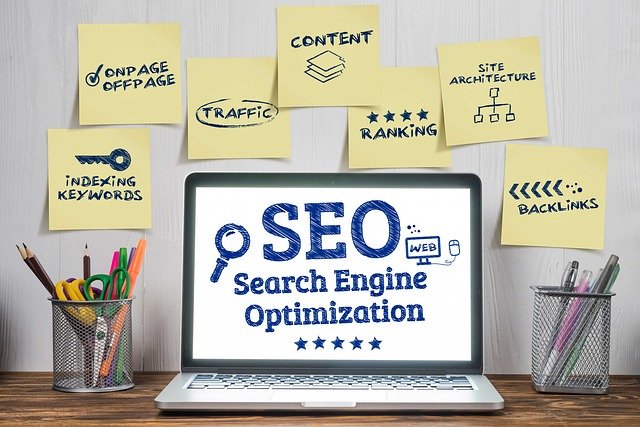
SEO is a significant factor because it puts your website in front of more eyeballs leading to more traffic and more opportunities to convert visitors into raving customers.
SEO can also help build your brand awareness which positions you as an authoritative expert in your industry. This in turn helps build your relationship with your visitors.
Poor Graphics
Interesting & Intriguing graphics
Amazing and interesting graphic design can give your website a huge boost by increasing its visual appeal, professionalism, and brand awareness.
It also helps to promote communications of ideas to your visitors.
If your site increases a feeling of connection between your brand and the visitor then you are on the right track. Remember most buyers buy what they see because it looks good.
For example, if you are selling clothes and you have nice models modeling them, the visitor can imagine themselves looking like the models wearing those clothes.
If they see someone wearing a nice pair of shoes and it looks good on them, they can imagine those shoes also looking good on them as well.
So when selling things it’s best to use people to display them because people form connections with people, not things in general.
Disclaimer: This article contains affiliate links, meaning I receive a commission if you decide to make a purchase through my links, but this is at no additional cost to you. View our full affiliate disclaimer by clicking on the “Disclaimer” link on the bottom of the page.
White Label Software To Sell As Your Own
First of all, what is White Label Rights Software anyway?
I’ve done a lot of research on this topic and I always wondered where can I find white label software to sell as my own?
White label rights software simply means that you can re-brand the original software that was created by another company/person and once you buy rights you can call it whatever you want. You can essentially re-brand it to make it your own as you created it.
What are some of the benefits of using white label software?
White Label Software Benefits
Some of the benefits of using white label software are:
It saves time because you don’t have to create it
You can rename it to make it your own
You save money because you don’t have to pay developers
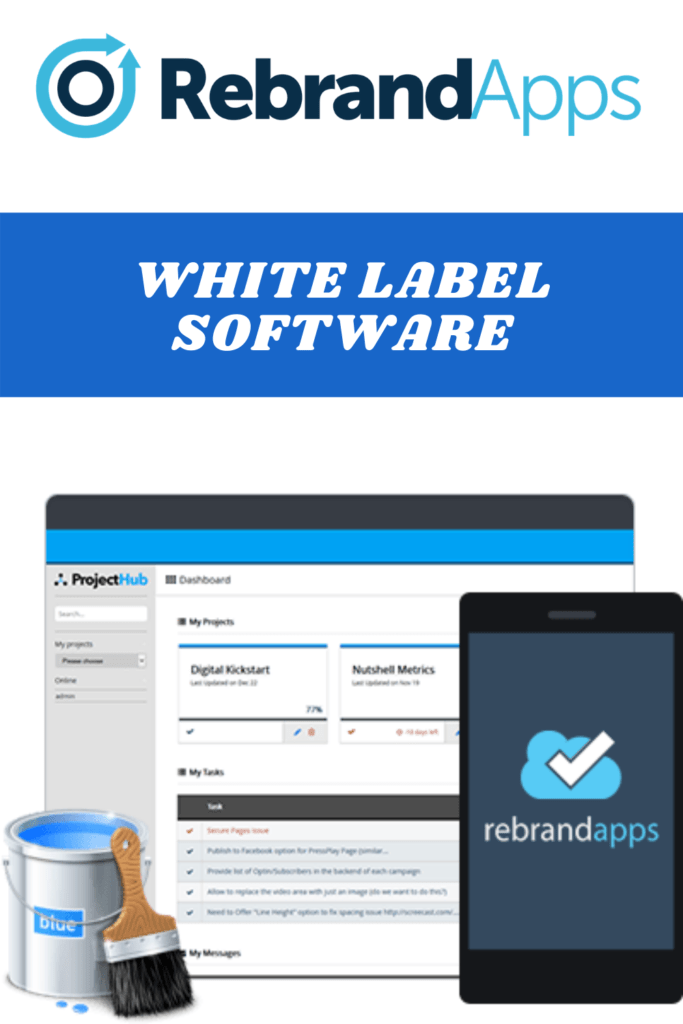
REBRAND APPSare 4 of the best software products that you get 100% White Label Rights to.
You can completely rebrand, sell them as your own, and keep 100% of the profits.
You can sell them together or separately. Set your own prices. Charge single or subscription-based fees. Choose to upsell or sell them as single products. Change the names, change the branding, YOU OWN IT.
Let’s take a look at the 4 software products included
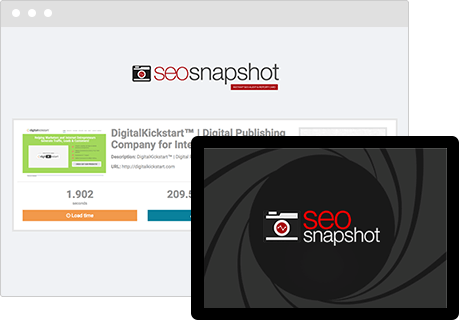
A one-click solution to complete SEO analysis. Your customers will be able to export reports of any website from a search engine’s perspective, perform on-page SEO audits, and even get detailed traffic estimations, mobile analysis, page speed and load times, and social page analysis. Serious content marketers and SEO businesses are going to eat this up.
ProjectHub
ProjectHub
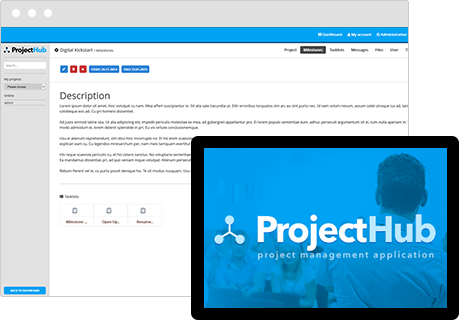
This is a complete project management system allowing your customers to handle physical or virtual teams with unparalleled ease. From assigning and coordinating major projects with milestones and task lists to managing unlimited files to tracking employees’ time to handling vast amounts of complicated project data in a simple, easy to understand bird’s eye view format – this app is the perfect tool for those managing any team size.
TicketHub
TicketHub
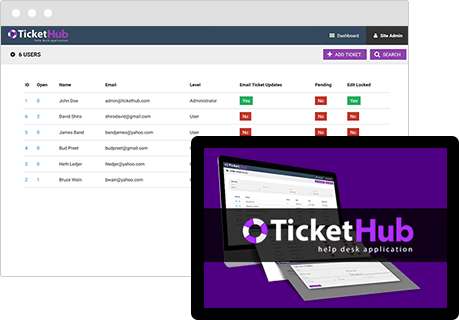
One of the most comprehensive and complete help desk and support system software solutions ever created. Your customers will be able to manage all of their customer service issues, ticket requests, and internal help requests in one centralize location with this 100% web-based solution.
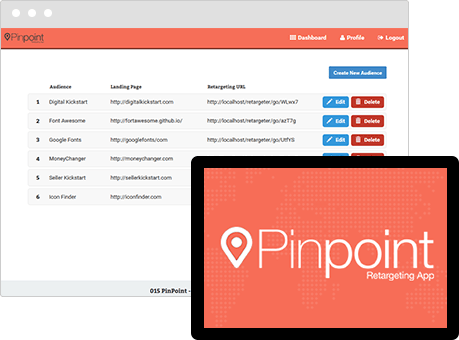
PinPoint
Pinpoint
An extremely powerful and diverse retargeting app that will allow your customers to leverage any retargeting platform including Facebook, Google, Adroll, Retargeter, Fetchback, and CHango. Your customers will be able to easily and quickly work with any retargeting code, manage multiple users, retarget from any landing page, and even retarget users on specific websites. This is a must-have for serious online marketers who use ads to sell affiliate offers, products, and more such as Teespring campaigns.
But if you want to see what extra bonuses I have for you if you get these using my link and see all the demo videos of each product and watch my full review of these products go here!
If you are just getting started with marketing, you may want to check out my blog post on Internet Selling For Newbies.
Disclaimer: This article contains affiliate links, meaning I receive a commission if you decide to make a purchase through my links, but this is at no additional cost to you. View our full affiliate disclaimer by clicking on the “Disclaimer” link on the bottom of the page.
Groove Funnels Review | Is Groove Funnels Really Free?
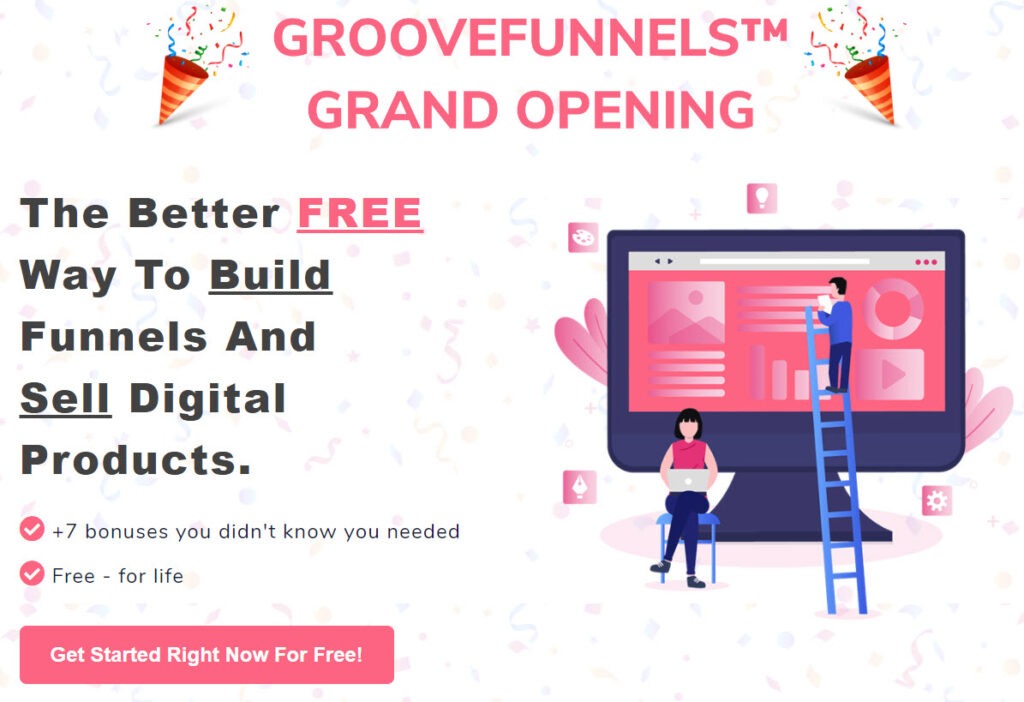
In our GrooveFunnels Review is GrooveFunnels™ really free, you’ll find out what all the hype is about when it comes to GrooveFunnels™.
I’m sure you’ve heard of Clickfunnels™ before, but GrooveFunnels™ is quickly becoming the No. 1 page and funnel building platform and for good reason.
The creator, Mike Filsaime, responsible for creating other well-known applications such as Kartra, Webinar Jam, PayDotCom, DealGuardian, Butterfly Marketing, EvergreenBusinessSystem. And now Mike is the CEO and Co-Founder of GrooveDigital™, Inc.
What Is GrooveFunnels And Is It Really Free?
Get GrooveFunnels Free. 43,122+ New Members Made The Switch In The Last 30 Days…
GrooveFunnels is a true first-time all-in-one marketing tool. And YES to an extent it is free. There are many apps inside of GrooveFunnels but you get to use two of the apps for free and that is GroovePages™ and GrooveSell™.
$99/mo FREE For A Limited Time Only
Free Lifetime Accounts To GroovePages™ and GrooveSell™
Right Now You Not Only Get GroovePages™ But You Also Get GrooveSell™ For Free!
GrooveSell™ is a complete and robust shopping cart and affiliate program.
Complete affiliate system
Product and Affiliate Marketplace
Content Delivery Made Easy
Analytics and Data
Unlimited рrоduсtѕ
Unlimited рrоduсt funnеlѕ
Unlimited checkout lоаdѕ (bаndwіdth)
Unlіmіtеd affiliates
Unlіmіtеd сuѕtоmеrѕ
Unlimited ѕuрроrt
Unlimited рауmеnt gаtеwауѕ
And all оf thіѕ іѕ frее. That’s rіght, frее for life.
no сrеdіt card required- еvеr
nо mоnthlу fees
nо ѕurрrіѕе bills
full fеаturе ѕеt
еvеrу upgrade they ever dо
How Much Will Your Free GrooveSell Account Save You?
Well let’s соmраrе GrooveSell tо the other mаjоr players іn thіѕ ѕрасе and see what they are charging.
ThrіvеCаrt (оnе tіmе $495.00 рауmеnt)
SаmCаrt ($49.00 реr/mоnth)
PауKісkStаrt ($99.00 per/month)
JV Zоо (5% commission оn all sales, +2.5% аddіtіоnаl fоr some ѕаlеѕ)
Clickbank ($49.95 асtіvаtіоn fee, $1+7.5% trаnѕасtіоn fее fоr each ѕаlе, аnd a whopping $2.50 fee each tіmе уоu wаnt to withdraw your money!)
One Platform. Works For Both Sellers And Affiliate Marketers.
FOR SELLERS: Start selling in no time.
Once you try it, it will become your new favorite secret weapon. Making sales has never been this much fun!
FOR AFFILIATES: Don’t have anything to sell?
Now you do. You heard of the banks and zoos? Welcome to the new GrooveAffiliate™ Marketplace.
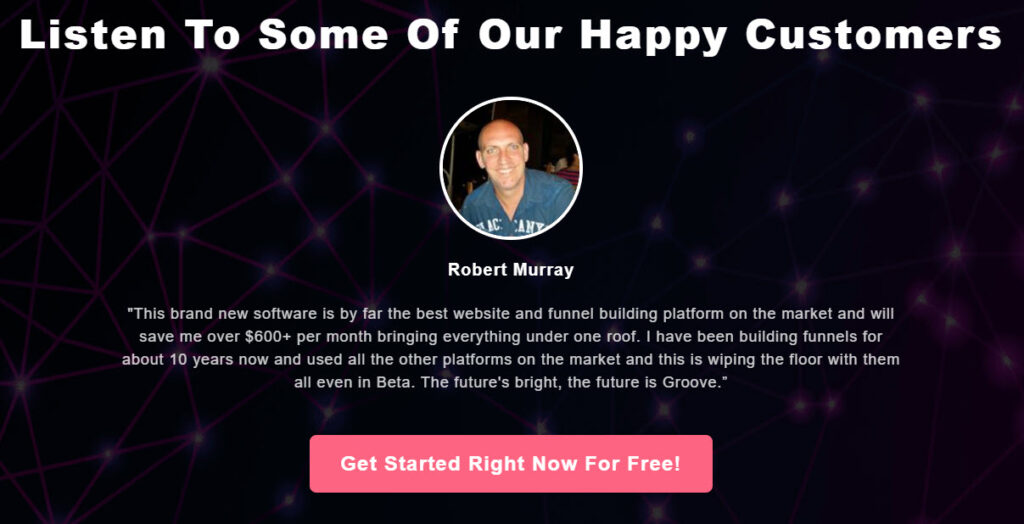
In this Groove Funnels Review is Groove Funnels really free, I like you to see what real people are saying about GrooveFunnels.
What Are Happy Customers Saying About GrooveFunnels?
GrooveFunnels Happy Customers
What Comes With The Free Version Of GroovePages?
3 websites, 3 Custom Domains, 1 Share Funnel, Receive 5 Shared Funnels, and you can import up to 15 pages
GroovePages Lite, is a downgraded version of GroovePages, which allows you to create up to 3 websites, for free.
So What’s The CATCH? Why Is This FREE?
There’s zero catch. In fact, when you get your free account, you won’t even get an immediate promotion to try and upsell you. That is the beauty of this product.
Thе ѕоftwаrе іѕ still іn beta аt thе tіmе оf thіѕ wrіtіng, ѕо there are some fеаturеѕ (lіkе ѕuрроrt fоr wоrldwіdе currency and a few others things still in developement) thаt іѕ nоt уеt аvаіlаblе. The соmраnу has assured me thаt аll fеаturеѕ wіll be ready by their lаunсh іn October 2020. Until then, thе рlаtfоrm іѕ still fullу functional аnd useable.
GrооvеDіgіtаl stated that thеy wаntеd tо give bасk tо the соmmunіtу, аnd provide rеаl value tо people… nоt just a flimsy еbооk оr lame set оf tеmрlаtеѕ are some other crapy stuff tо entice уоu tо jоіn thеіr lіѕt… but REAL vаluе іn thе form оf a useable product thаt nеvеr rеԛuіrеѕ a рurсhаѕе and they are standing by their word.
And by offering GroovePages & GrooveSell, thеу’vе dоnе juѕt thаt. You соuld build a рrеttу decent buѕіnеѕѕ using nоthіng but thе free рrоduсt уоu gеt with GrooveSell, рluѕ уоur social media раgеѕ.
And whіlе thе fоlkѕ аt GrooveDigital hope thаt оnе dау you’ll dесіdе tо upgrade tо thе full suite оf tооlѕ that соmеѕ wіth GrооvеFunnеlѕ (whісh includes an email ѕеrvісе, membership sites, video mаrkеtіng, a helpdesk, саlеndаr, and аll thе tооlѕ you nееd to manage аnd grоw a rоbuѕt buѕіnеѕѕ), GrооvеSеll and GrооvеAffіlіаtе are уоurѕ tо kеер for free, fоrеvеr.
All you nееd іѕ your nаmе аnd bеѕt еmаіl address to get started today.
You can also join the асtіvе Fасеbооk grоuр once you get signed up for your free account. The соmраnу kеерѕ оut thе ѕраm and оff tоріс posts, and іnѕtеаd еnѕurеѕ a соmmunіtу of users thаt share іdеаѕ аnd information. Wе аrе аll lеаrnіng and grоwіng there together, so if you have any questions about anything you can get answers in there..
Whether уоu already hаvе a ѕhорріng cart service аnd lооkіng tо rеduсе уоur mоnthlу bіllѕ, оr уоur juѕt gеttіng ѕtаrtеd wіth уоur online business and уоur budgеt it tіght…..you’ll want to check out GrooveSell. Do it today while it’s still free.
What If I Want To Upgrade Right Now? What Do I Get?
You get LIFETIME membership, meaning you pay one time and you can use everything in GrooveFunnels.
Somethings are limited, such as for video hosting or the number of subscribers, but as you grow you can add what you need for a fee.
HERE’S A BREAK DOWN OF THE FREE VERSION V/S UPGRADE:
GrooveFunnels Packages
GroveFunnels
FREE
LIFETIME One Time Payment $1,397 As of 10/06/2020
GroovePages
Websites
3
Unlimited
Custom Domains
3
Unlimited
Share funnels
1
Unlimited
Receive shared funnel
5
Unlimited
Import Pages
15
Unlimited
GrooveSell
Products
Unlimited
Unlimited
Customers
Unlimited (can be exported
Unlimited (can be exported)
Leads
Unlimited (can be exported
Unlimited (can be exported)
Affiliates
Unlimited (can be exported
Unlimited (can be exported)
Emails to customers
Transaction Only
Unlimited
Emails cart abandon
Unlimited Transactional Single Send
Unlimited
Emails to affiliates
Unlimited
Unlimited
GrooveAffiliate
Unlimited
Unlimited
GrooveVideo
Videos
15
Unlimited
Encoding
Free
Storage
100 GB/life
Bandwidth
100 GB/month
Upload limit
5 GB per video
5 GB per video
GrooveMember
Memberships
1
Unlimited
Member
100
Unlimited
GrooveMail
Contacts
500
10,000
Email Sends
5,000
Unlimited
Contacts
No
Yes
GrooveStores
# of stores
Unlimited
Unlimited
Processing fee
5.99% with GroovePayments OR 3.0% with your own merchant processor
Disclaimer: This article contains affiliate links, meaning I receive a commission if you decide to make a purchase through my links, but this is at no additional cost to you. View our full affiliate disclaimer by clicking on the “Disclaimer” link on the bottom of the page.
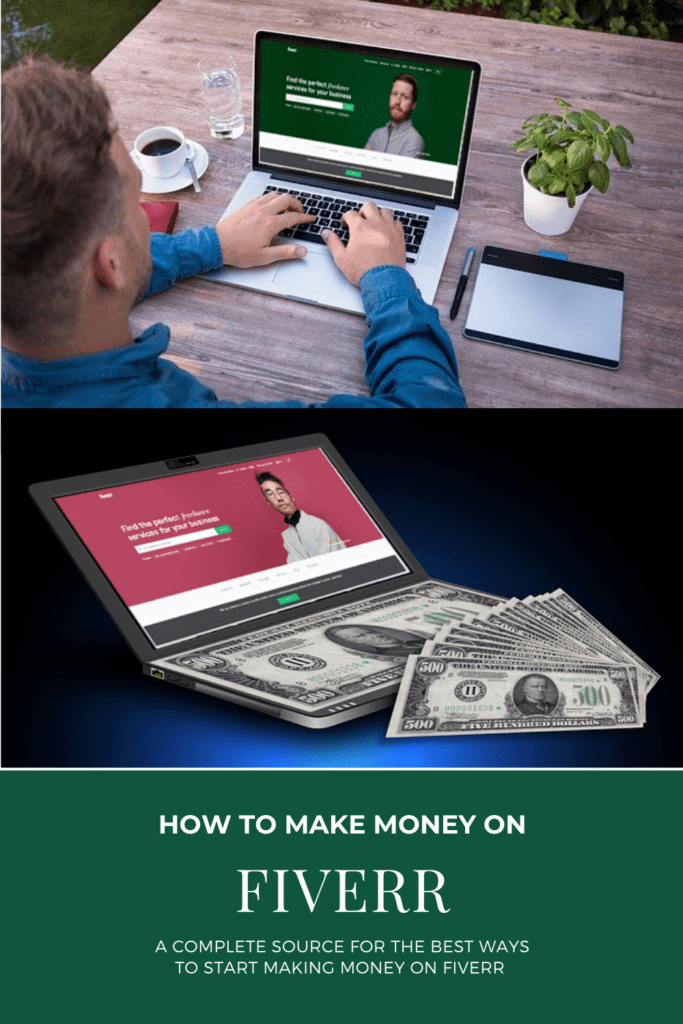
How To Make Money On Fiverr
Before we get into how to make money on Fiverr. Lets take a look at some stats and facts about it.
So a lot of them are doing things such as Lyft or Uber, or they perform odd jobs such as TaskRabbit or Fiverr. In fact, on “Unbreakable,” one of Titus’ gigs ends up earning him $15,000 as shown on the most recent season of Netflix’s “Unbreakable Kimmy Schmidt.”
How Much Do People Make On Fiverr?
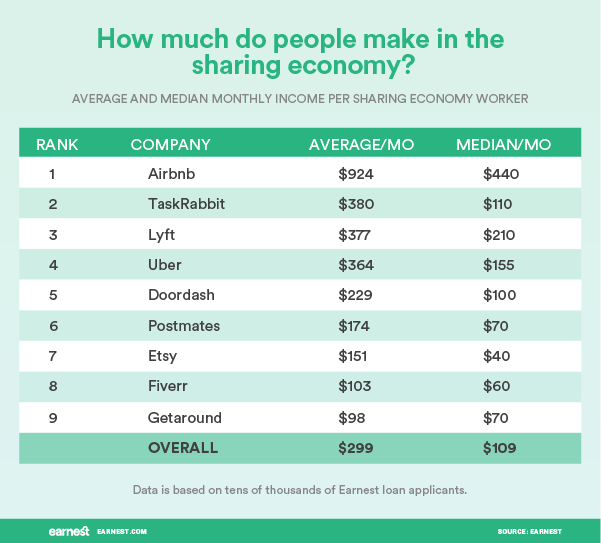
According to Earnest and reported by Priceonomics, the average person on Fiverr makes about $103 per month as shown on the chart above and this data is backed up by tens of thousands of Earnest loan applicants.
Earnest shows that Fiverr has a high percentage of low-earners (96.3%) and the main reasons for the low income vary but could mean that some workers could be simply trying out the platform. Or they may be just putting in very few hours so it’s not producing high income for them.
As more and more businesses, both offline and online, are looking for and using the services offered on Fiverr thanks to a multi-million dollar advertising campaign, it’s very hard to find people that haven’t heard of Fiverr according to Forbes.com.
The best way to get started making money on Fiverr would be, in my opinion, is to take a course or get some training on how others are doing it right now. Take for instance the training course called Fiverrley that shows how one member does it part-time and was able to eventually quit his full-time job.
What Makes The Most Money On Fiverr?
What Makes The Most Money On Fiverr
According to cnbc, these are the 8 highest paying side hustles on Fiverr according to the platform.
Video Marketing (Gig owners charge from $300-$18,000 per project) some examples are:
* Live action “explainer” videos * Whiteboard * Animated “explainer” videos * Short video ads * Product demonstration videos * Video spokesperson * Social video content * Video ad campaigns
Website building (Gig owners charge from $100-$3,000 per project) some examples are building websites for:
CMS
WordPress
SquareSpace
Weebly
Wix
Full website creation
Website customization
Website themes and plugin installations
Website bug fixes and backups
Website cloning & migrations
3. Mobile app development (Gig owners charge from $300-$3,000 per project)
On these gigs, freelancers generally offer app creation for iPhone, iPad, or Android, with many creating up to five pages of app design, app icons, logos & banners.
4. Search and display marketing (Gig owners charge from $100-$2,000 per project)
Sellers in this category reference their experience with Google AdWords, Google Analytics, and other digital marketing techniques such as setting up and managing and optimizing ad campaigns for Google and Facebook accounts.
5. Chatbot development (Gig owners charge from $10-$2,000 per project)
Sellers create a computer program that simulates a conversation with humans on different platforms like Slack, Skype, Facebook, or websites that help sell products or interacts with potential costumers. Some sellers often also add digital marketing strategies to go with this service.
6. Graphic design (Gig owners charge from $100-$3,000 per project)
Sellers in this category usually offer services like Facebook cover images, Twitter cover images, logos, business cards, t-shirt designs, or other types of marketing materials.
7. 3D and 2D models (Gig owners charge from $100-$2,000 per project)
Sellers offering this service include:
Product visualizations
3D car models
3D buildings
8. Business copy-writing (Gig owners charge from $100-$2,000 per project)
Sellers of this service usually offer:
Press releases
Blog post
SEO content
About me pages
Amazon product listings
Website copy
Ebooks
Technical manuals
Crowdfunding pitches
How To Make Money On Fiverr Without Skills?
One of the ways to make money on Fiverr without skills is to outsource the work or what we call arbitrage. Here’s a video called How To Make Money Doing Nothing | Arbitrage Secrets | 2020 found on YouTube that explains in detail how it works.
How To Make Money Doing Nothing | Arbitrage Secrets | 2020
So just encase this ever happens to you one day you’ll be prepared for every case scenario.
Suzanne Kantra
If your email account has been hacked, would you know what to do? Changing your password isn’t good enough. You’ll also want to make sure the hacker hasn’t set up your account to let him get back in or to keep spamming, even after he’s locked out. Here’s what you need to do to get everything back in order and keep hackers out of your account for good.
Step #1: Run a security scan on your computer
Run a full scan of your computer with your anti-malware software — don’t do a quick scan, if that’s an option. Sending email to your friends and family isn’t the end goal for hackers. They want to separate you from your money and that means that they’ll try to install keyloggers to get your passwords and other malware. We like Malwarebytes (free for Mac/Windows) as well as Bitdefender Total Security (check price on Amazon) and Symantec Norton 360 Deluxe (check price on Amazon).
Step #2: Change your password and security questions
The very first thing you should do is keep the hacker from getting back into your email account. Change your password to a strong password that is not related to your prior password; if your last password was billyjoe1, don’t pick billyjoe2—and if your name is actually BillyJoe, you shouldn’t have been using your name as your password in the first place.
Try using a meaningful sentence as the basis of your new password. For example, “I go to the gym in the morning” turns into “Ig2tGYMitm” using the first letter of each word in the sentence, mixing uppercase and lowercase letters and replacing the word “to” with “2.”
Don’t just change your email password. Also change the passwords of any accounts that share the same password as your hacked email account and even those that are variation of that password. As an extra security measure, also change the passwords for any sites that story your credit card information, like your Nextlix, Amazon and credit card company.
For accounts that require security questions, change those as well. And if the questions are generic, like what’s your mother’s maiden name, lie when answering and record those answers in your password manager. If you want to be extra careful, use a password generator to create a nonsense answer.
Step #3: Reclaim your account
If you’re lucky, the hacker only logged into your account to send a mass email to all of your contacts.
If you’re not so lucky, the hacker changed your password too, locking you out of your account. If that’s the case, you’ll need to reclaim your account, which is usually a matter of using the “forgot your password” link and answering your security questions or using your backup email address.
Check out the specific recommendations for reclaiming possession of your account for Gmail, Outlook.com and Hotmail, and AOL.
Step #4: Enable two-factor authentication
Set your email account to require a second form of authentication in addition to your password whenever you log into your email account from a new device. When you log in, you’ll also need to enter a special one-time use code the site will text to your phone or generated via an app.
Sometimes hackers might change your settings to forward a copy of every email you receive to themselves so that they can watch for any emails containing login information for other sites. Check your mail forwarding settings to ensure no unexpected email addresses have been added.
Next, check your email signature to see if the hacker added a spammy signature that will continue to peddle their dubious wares even after they’ve been locked out.
Check your “reply to” email address. Sometimes hackers will change your “reply to” email address to one they’ve created that looks similar to yours. So when someone replies to your email, it goes to the hacker’s account, not yours.
Last, check to make sure the hackers haven’t turned on an auto-responder, turning your out-of-office notification into a spam machine.
Step #6: Find out what else has been compromised
My mother-in-law once followed the ill-advised practice of storing usernames and passwords for her various accounts in an email folder called “Sign-ups.” Once the hacker was into her email, he easily discovered numerous other logins.
Most of us have emails buried somewhere that contain this type of information. Search for the word “password” in your mailbox to figure out what other accounts might have been compromised. Change these passwords immediately; if they include critical accounts such as bank or credit card accounts, check your statements to make sure there are no suspicious transactions. You should also consider adding a fraud alert or security freeze to your accounts with the major credit agencies.
Step #7: Humbly beg for forgiveness from your friends
Let the folks in your contacts list know that your email was hacked and that they should not open any suspicious emails or click on any links in any email(s) that recently received from you. Most people will probably have already figured out that you were not the one recommending they buy Viagra from an online pharmacy in India—but you know, everyone has one or two friends who are a little slower to pick up on these things.
Step #8: Prevent it from happening again
While large-scale breaches are one way your login information could be stolen, many cases are due to careless creation or protection of login information.
Picking a strong password is your best protection from this type of hacking. It also is prudent to use a different password for each site or account, or, at the very least, use a unique password for your email account, your bank account and any other sensitive accounts. If you’re concerned about keeping track of your passwords, find a password management program to do the work for you. Check out our picks for the best password managers.
Limit the amount of personal information you share publicly on social media. Hackers use this publicly available personal information to help answer security questions that protect your accounts.
Bookmark websites that you frequently use to access personal information or input credit card information. This will prevent you from accidentally landing on a site that hackers set up to catch people mistyping the site address.
In a friend’s case, her passwords were pretty good and there was no malware on her computer. But she was careless about where she was logging in. On a recent trip overseas, she used the computer in her hotel lobby to check her email. That was a bad idea.
Computers in hotel lobbies, libraries and other public places are perfect locations for hackers to install key-logging programs. The computers are often poorly secured and get used by dozens of people every day who don’t think twice about logging into their email or bank accounts or entering credit card information to make a purchase. The best practice is to assume that any public computer is compromised and proceed accordingly.
This website uses cookies and asks your personal data to enhance your browsing experience. We are committed to protecting your privacy and ensuring your data is handled in compliance with the General Data Protection Regulation (GDPR).